 taskstaka
A "what needs action next" task server, backed by markdown
Work is a tree: a story spawns subtasks, the subtasks block the story. taskstaka keeps the tree and tells you the one thing that is yours to do right now — and brings the story back the moment its last piece is done.
then taskstaka init. macOS and Linux. Other ways to install.
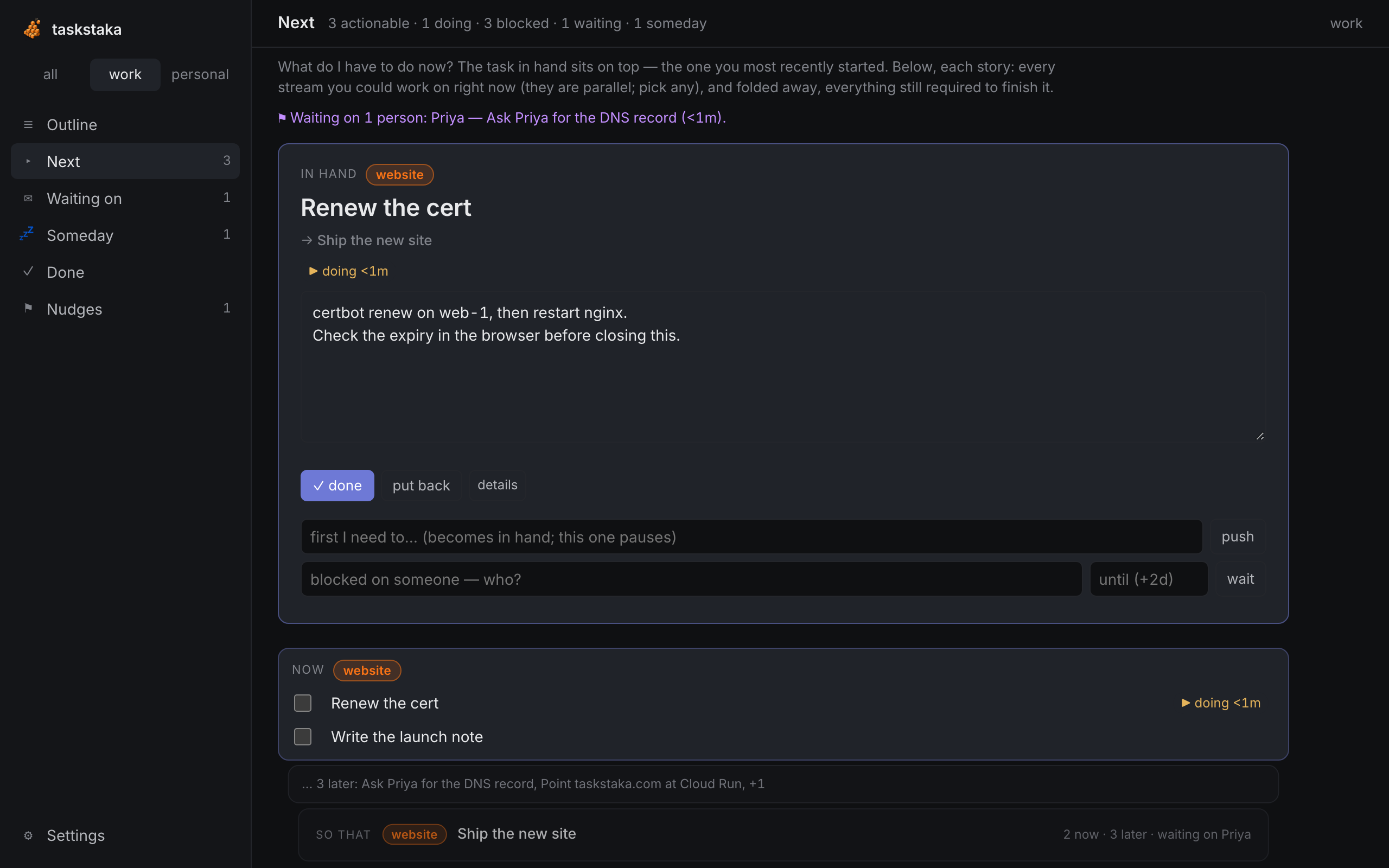
A tree, not a list
Nesting means first this. A task with open subtasks is blocked and stays out of your way; the deepest open leaves are what you see.
The plate
The task in hand sits on top with its notes. Finish it and the next one in the same story takes its place. Put it back and a different one comes up.
Waiting on people
A wait always has a follow-up date. Chase, record what they said, and the task that depends on them is the one that waits — not the story.
How a stack works
A story is the base. Each subtask under it is a prerequisite, knocked out from the bottom. When you tick the plate in hand, the next prerequisite moves into your hand; when the last one closes, the story itself comes back to the top of Next, flagged resurfaced. That moment is the whole product. More in Help.
Everywhere you work
taskstaka next in a terminal, taskstaka tui as an always-on panel, the web outliner at http://127.0.0.1:7407/, the macOS menu bar item with ⌥Space quick add, and an MCP server so Claude can keep your list honest. One daemon, one folder of markdown files in ~/todo, every surface showing the same thing. Your notes stay yours: open the folder in Obsidian, sync it with git.